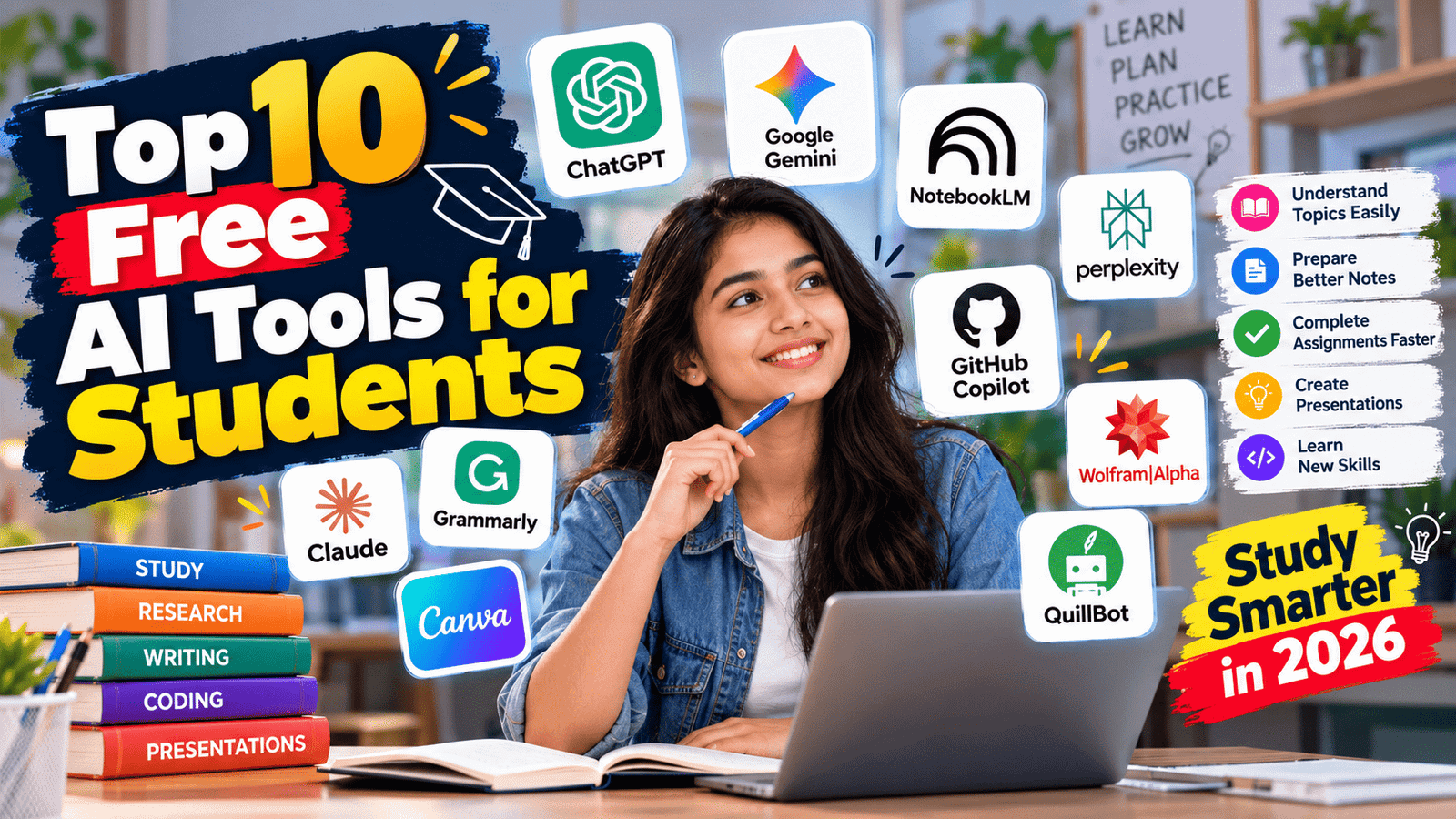
Top 10 Free AI Tools for Students in 2026: Study Smarter, Save Time
Artificial intelligence is changing the way students learn, prepare for exams, complete projects, and develop new skills. From explaining difficult subjects to summarizing lengthy notes and creating presentations, AI tools can make studying more organized and efficient.
The good news is that students do not always need expensive subscriptions to benefit from AI. Many popular platforms offer free plans with useful features for school students, college students, and learners preparing for competitive examinations.
In this guide, we explore the top 10 free AI tools for students in 2026, explain their best features, and show how to use them responsibly for studying, research, writing, mathematics, and coding.
The top 10 free AI tools for students can help learners save time while improving their understanding of different subjects. From explaining difficult concepts to preparing practice questions, these tools support personalized learning. Students can use their free features to identify weak areas, revise important topics, and build better study habits.
Why Should Students Use AI Tools?
AI tools can act as digital study assistants. They help students understand complex concepts, organize information, practise questions, improve writing, and explore subjects beyond classroom lessons.
Here are some common benefits:
- Better understanding: Get difficult topics explained in simpler language.
- Faster revision: Turn lengthy notes into summaries, flashcards, and practice questions.
- Improved writing: Check grammar, sentence structure, and clarity.
- Research assistance: Discover relevant information and investigate sources.
- Creative projects: Prepare presentations, posters, diagrams, and study materials.
- Coding support: Understand programming concepts and troubleshoot errors.
Remember that AI can make mistakes. Students should verify important information and use these tools to strengthen their understanding rather than simply copying generated answers.
Top 10 Free AI Tools for Students in 2026
1. ChatGPT — Best for Everyday Study Help
ChatGPT is a versatile AI assistant that students can use for explanations, brainstorming, practice questions, writing feedback, and programming support.
What can students do with ChatGPT?
- Understand difficult topics through simple explanations.
- Generate multiple-choice questions for exam preparation.
- Create revision plans and study timetables.
- Practise English grammar and conversational skills.
- Get step-by-step explanations of mathematics and science problems.
- Understand programming concepts and debug code.
Example prompt:
“Explain photosynthesis in simple language for a Class 10 student. Give me five important points and then ask me five quiz questions.”
Free access: ChatGPT offers a free plan, although usage limits and access to certain features can vary.
Best for: School students, college students, exam preparation, and general learning.
Website: https://chatgpt.com/
Students often struggle with complex topics in mathematics, science, technology, and other subjects. The top 10 free AI tools for students can make these topics easier to understand by providing simplified explanations, examples, and practice questions. Students should use these explanations alongside their textbooks and classroom notes.
2. Google Gemini — Best for Learning and Google Integration
Google Gemini is an AI assistant that helps students explore subjects, understand concepts, brainstorm ideas, and work with information.
Students can use it to prepare revision notes, compare concepts, generate practice questions, and get explanations tailored to their academic level.
Key uses:
- Simplify complicated textbook topics.
- Create study guides and revision questions.
- Brainstorm science projects and presentations.
- Practise language skills.
- Explore topics that require additional research.
Example prompt:
“Explain the difference between acids and bases using a comparison table, everyday examples, and five practice questions.”
Free access: Gemini has a free plan. Available features and usage limits may change over time.
Best for: Students who want an alternative AI tutor and frequently use Google services.
Website: https://gemini.google.com/
3. NotebookLM — Best for Notes, PDFs, and Exam Revision
NotebookLM is a research and study assistant designed to help users work with their own source material. Students can add supported documents and other sources, then ask questions about the information they contain.
This is particularly useful when preparing for examinations using lecture notes, course readings, and study documents.
Key uses:
- Summarize uploaded study material.
- Ask questions about documents.
- Identify important concepts and key points.
- Create study guides and practice questions.
- Generate audio-style overviews where supported.
Example prompt:
“Using my uploaded notes, create a chapter summary, list the 15 most important concepts, and prepare 20 revision questions. Base the answers on the provided sources.”
Free access: NotebookLM offers free access with usage limits. Features and product naming may change, so check the official website for the latest details.
Best for: Students who have large PDFs, lecture notes, textbooks, or multiple study documents.
Website: https://notebooklm.google.com/
Creating presentations and revision material becomes easier when students combine AI assistance with their own notes. Canva helps with visual projects, while NotebookLM can organize information from supported study sources. The top 10 free AI tools for students can support these tasks, but students should review the final material for accuracy before submitting or presenting it.
4. Perplexity AI — Best for Research and Finding Sources
Perplexity is an AI-powered search and research tool that provides answers with links to sources. It can help students investigate topics, discover relevant websites, and find material for assignments.
Unlike relying on an AI response alone, students can open the linked sources and evaluate the original information.
Key uses:
- Research a topic for an assignment.
- Find articles and relevant websites.
- Explore current events and technology developments.
- Compare information from different sources.
- Discover references for further reading.
Example prompt:
“Explain the causes of climate change and provide reliable scientific sources. Separate established scientific findings from areas of uncertainty.”
Free access: Perplexity provides a free plan, with limits on certain advanced features.
Best for: Research assignments, presentations, current affairs, and source discovery.
Important: Always open the cited sources and verify that they genuinely support the information you use.
Website: https://www.perplexity.ai/
College projects require research, planning, writing, and presentations. The top 10 free AI tools for students can support different stages of a project, from brainstorming ideas to organizing information and designing slides. Students should independently verify facts, cite original sources, and follow their college’s academic guidelines.
5. Claude — Best for Writing Feedback and Long Documents
Claude is an AI assistant that can help students understand reading material, organize ideas, review drafts, and work through complex questions.
It is useful when students want detailed feedback on their own writing or need help understanding a lengthy document.
Key uses:
- Summarize readings and supported document uploads.
- Improve the clarity of a student-written essay.
- Explain difficult concepts step by step.
- Organize project ideas into structured outlines.
- Review code and explain programming logic.
Example prompt:
“Review my essay for clarity, grammar, and logical flow. Explain what needs improvement, but preserve my original ideas and writing style.”
Free access: Claude offers a free plan with usage limits.
Best for: Essay feedback, reading comprehension, document analysis, and structured explanations.
Website: https://claude.ai/
6. Grammarly — Best for Grammar and English Writing
Grammarly helps students improve the correctness and clarity of their written work. Its writing assistance can be useful for essays, reports, emails, applications, and other academic documents.
Key uses:
- Identify spelling and grammar errors.
- Improve punctuation.
- Make sentences clearer and easier to read.
- Check writing tone.
- Review emails and professional communication.
Example use: Write your assignment in your own words, then use Grammarly to identify grammar mistakes and unclear sentences.
Free access: Grammarly has a free plan. Some advanced AI writing and editing features require a paid subscription.
Best for: Students who want to improve English writing and reduce avoidable language errors.
Website: https://www.grammarly.com/
7. Canva — Best for Presentations and Creative Projects
Canva is a design platform that helps students create attractive presentations, posters, infographics, diagrams, and educational materials. It also includes AI-powered features, some of which may have usage restrictions or require a paid plan.
Key uses:
- Design school and college presentations.
- Create posters for science exhibitions.
- Prepare infographics and visual summaries.
- Design project covers and educational charts.
- Create visual study materials.
Example prompt or task:
“Create a clean presentation outline about renewable energy, with sections on solar, wind, hydropower, advantages, challenges, and a conclusion.”
Students can then build the slides using Canva’s available templates and design tools.
Free access: Canva offers a free plan. Availability of individual AI features varies.
Best for: Presentations, school projects, posters, and visual learning.
Website: https://www.canva.com/
Managing assignments, revision, and project deadlines can be challenging. The top 10 free AI tools for students offer useful features for organizing ideas, creating study outlines, summarizing notes, and preparing presentations. By choosing suitable tools for specific tasks, students can organize their academic work more efficiently.
8. GitHub Copilot — Best for Coding and Programming Students
GitHub Copilot is an AI coding assistant that can suggest code, explain programming concepts, and help developers understand errors. It can be especially useful for computer science and software engineering students.
Key uses:
- Understand programming syntax.
- Generate example code for learning.
- Explain error messages.
- Suggest improvements to existing code.
- Practise programming and debugging.
Example prompt:
“Explain this Python function line by line. Identify possible errors and give me a small exercise so I can practise the same concept.”
Free access: GitHub Copilot offers a free plan with usage limits. Verified students may qualify for additional benefits through GitHub Education, subject to current eligibility requirements.
Best for: Computer science students, software engineering learners, and beginner programmers.
Website: https://github.com/features/copilot
The top 10 free AI tools for students also include options for technical subjects. Wolfram|Alpha can help with mathematical calculations, while GitHub Copilot can assist with understanding programming concepts and debugging code. Students should practise independently to understand the methods behind the answer
9. Wolfram|Alpha — Best for Mathematics and Science
Wolfram|Alpha is a computational knowledge engine that can help students explore mathematical expressions, equations, scientific questions, and numerical problems.
It is useful for checking calculations and understanding mathematical relationships. Some step-by-step solutions and advanced features may require a paid plan.
Key uses:
- Evaluate mathematical expressions.
- Explore algebra and calculus problems.
- Check numerical calculations.
- Investigate scientific quantities and formulas.
- Visualize supported mathematical functions.
Example task:
“Evaluate the equation and explain the mathematical method used to solve it.”
Free access: Basic access is available, while some features and detailed solutions may be restricted.
Best for: Mathematics, physics, engineering, and other quantitative subjects.
Website: https://www.wolframalpha.com/
10. QuillBot — Best for Summarizing and Improving Your Own Writing
QuillBot offers writing tools that can help students summarize text, rephrase their own sentences, and improve readability.
It can be useful when reviewing notes or making a student-written paragraph more concise, provided the student preserves the intended meaning and follows academic rules.
Key uses:
- Summarize lengthy reading material.
- Rephrase sentences for clarity.
- Improve readability.
- Check grammar using available features.
- Organize information for revision.
Example task:
“Summarize this paragraph into five revision points without changing its meaning.”
Free access: QuillBot offers free tools with limits on some features, including certain summarization and paraphrasing functions.
Best for: Revision notes, concise summaries, and editing student-written work.
Website: https://quillbot.com/
Comparison Table: Top 10 Free AI Tools for Students
| AI Tool | Best Use | Free Access |
|---|---|---|
| ChatGPT | General study help and explanations | Yes, with limits |
| Google Gemini | Learning and brainstorming | Yes, with limits |
| NotebookLM | Notes, PDFs, and revision | Yes, with limits |
| Perplexity AI | Research and source discovery | Yes, with limits |
| Claude | Writing feedback and document analysis | Yes, with limits |
| Grammarly | Grammar and writing clarity | Yes, with limits |
| Canva | Presentations and visual projects | Yes, with feature limits |
| GitHub Copilot | Coding and debugging | Yes, with limits |
| Wolfram|Alpha | Mathematics and science | Basic access available |
| QuillBot | Summarizing and paraphrasing | Yes, with limits |
Free-plan features, usage allowances, and eligibility rules can change. Check each provider’s official website before relying on a particular feature.
Before choosing from the top 10 free AI tools for students, identify your main requirement. Use ChatGPT or Gemini for general explanations, NotebookLM for document-based revision, Perplexity for research, Grammarly for writing, Canva for presentations, GitHub Copilot for coding, Wolfram|Alpha for mathematics, and QuillBot for summaries and writing improvements. Check each platform’s free-plan limits before using it regularly.
Which Free AI Tool Is Best for Your Studies?
The best choice depends on what you want to accomplish.
- For understanding difficult topics: Start with ChatGPT or Gemini.
- For revising your own notes: Try NotebookLM.
- For researching an assignment: Use Perplexity and verify its sources.
- For improving English writing: Try Grammarly or Claude.
- For presentations: Use Canva.
- For learning programming: Explore GitHub Copilot.
- For mathematics and science: Try Wolfram|Alpha.
- For concise revision notes: Explore QuillBot.
You do not need to use all ten tools. Choose two or three that fit your subjects and learning style before considering any paid subscriptions.
How to Use AI Tools for Exam Preparation
A simple AI-supported study routine can help students revise more effectively without becoming dependent on generated answers.
Step 1: Learn the topic. Ask an AI assistant to explain the concept using simple language and examples.
Step 2: Prepare revision notes. Use your own notes or supported study documents to create a concise summary.
Step 3: Test your understanding. Ask the tool to generate practice questions without showing the answers immediately.
Step 4: Solve problems yourself. Attempt the questions independently before requesting explanations.
Step 5: Check the answers. Compare explanations with textbooks, class notes, and reliable sources.
Step 6: Revise weak areas. Spend more time on the concepts you could not explain or answer correctly.
This approach makes AI a learning partner rather than a replacement for studying.
When preparing for examinations, the top 10 free AI tools for students can support revision through topic summaries, practice quizzes, explanations, and study schedules. Students should compare AI-generated answers with their textbooks and class notes to ensure accuracy before an examination.
Important Tips for Using AI Safely and Responsibly
AI tools can save time, but students should use them carefully.
- Verify important facts. AI-generated answers can contain errors or outdated information.
- Protect personal information. Avoid uploading passwords, identity documents, private student records, or confidential material.
- Follow academic rules. Check your school’s or college’s policy on AI use in assignments and examinations.
- Write in your own words. Use AI feedback to improve your understanding and writing rather than submitting generated work as your own.
- Check research sources. Open original sources and confirm that quotations, facts, and references are accurate.
- Understand the solution. For mathematics and coding, make sure you can explain the reasoning rather than simply copying the result.
- Review free-plan limits. A tool may offer free access while reserving particular features for paid users.
Frequently Asked Questions (FAQs)
1. What are the best free AI tools for students in 2026?
Popular options include ChatGPT, Google Gemini, NotebookLM, Perplexity, Claude, Grammarly, Canva, GitHub Copilot, Wolfram|Alpha, and QuillBot. The best option depends on whether you need help with learning, research, writing, mathematics, presentations, or coding.
2. Can students use AI tools for free?
Yes. Many AI platforms provide free plans or basic free access. However, advanced features, higher usage limits, and some specialist tools may require payment.
3. Which AI tool is best for exam preparation?
ChatGPT and Gemini can explain topics and generate practice questions. NotebookLM can help students revise from their own notes and supported documents. Students should still check answers against their syllabus and trusted learning materials.
4. Which AI tool is best for research assignments?
Perplexity is useful for discovering information with source links. NotebookLM can help analyze supplied reading material. Students should verify sources and follow their institution’s citation requirements.
5. Can AI tools solve mathematics problems?
AI assistants and computational tools can help with mathematical problems. Wolfram|Alpha is particularly useful for calculations and mathematical exploration. Always verify the method and practise solving similar problems independently.
6. Is using AI for homework considered cheating?
Not necessarily. It depends on the assignment and the institution’s rules. Using AI to understand a concept or practise questions may be allowed, while submitting AI-generated work as your own may violate academic-integrity policies.
7. Do students need paid AI subscriptions?
Not always. Free plans can be sufficient for many everyday study tasks. Start with the free features and consider paying only if you regularly need capabilities that are unavailable in those plans.
Conclusion
The top 10 free AI tools for students in 2026 offer practical ways to improve learning, prepare for exams, research subjects, polish writing, create presentations, and develop programming skills.
ChatGPT and Gemini are useful starting points for general study help, NotebookLM supports revision from study material, and Perplexity helps students discover sources for research. Tools such as Grammarly, Canva, GitHub Copilot, Wolfram|Alpha, and QuillBot address more specific academic needs.
The most important thing is to use AI thoughtfully. Ask questions, verify information, practise independently, and follow your institution’s rules. With the right approach, free AI tools can become valuable study companions that help you learn more effectively.
Yes, many of the top 10 free AI tools for students are suitable for beginners who want to explore AI-assisted learning. Start with a general-purpose assistant such as ChatGPT or Gemini, then try specialist tools for research, writing, mathematics, or presentations as your needs develop. Check each platform’s current free-plan limits before relying on specific features.
📖 Next Blog: Continue Reading on My Daily Viral
Want to keep exploring the latest trending topics, guides, and updates? Check out our other popular blogs below 👇
🎬 Entertainment & Movies
-
🇮🇳 Battle of Galwan Movie 2026: Salman Khan’s Powerful War Drama Based on Real Events
📱 Technology & Gadgets
-
📱 Amazing iPhone 17 Series (2025) – Full Review, Top Features & Price in India
-
☁️ What is Cloud Computing? Beginner’s Guide (AWS, Azure, GCP Explained)
👗 Fashion & Festivals
-
💃 Navratri Lehengas Chaniya Cholis 2025 – Stunning Trends, Colors & Styling Ideas
-
🎉 Explore 2025 Festival & Wedding Fashion in India – For Men, Women & Kids
-
🪔 Navratri 2025: 9 Days of Goddess, History, Rituals, Fashion & Fasting
🧘 Health & Lifestyle
-
🧘♀️ How to Include Yoga in Your Daily Routine | 10 Simple Ways for a Healthy Life
-
🌿 Yoga for Back Pain: Ultimate Guide to Relief, Flexibility & Strength
-
💪 Daily Home & Office Workout Routine Without Equipment – Stay Fit Anywhere
-
🥗 Ultimate Guide to Weight Loss in 2025-26: Diet, Workouts & Lifestyle Tips
-
🍛 7-Day Indian Weight Loss Diet Plan (Veg & Non-Veg) – 2025-26 Edition